
Put Kesher on your phone
It goes on your home screen like any other app. No app store, no password.
One tap
Your browser can install it directly.
Open this in your browser first
You are looking at this inside a chat app's browser, which cannot add anything to your home screen — and sign-in links often get stuck in it too, because it keeps its own separate cookies. It takes one tap to get out.
- Tap the ⋮ or ⋯ in the corner of this screen
- Choose Open in browser
- Come back to this page there and follow the steps it shows
Yes — three taps in Safari
iPhone does not use the App Store for this. You add it yourself, and it behaves like any other app afterwards.
- Tap Share — the square with the arrow, at the bottom of the screen
- Scroll down the list and tap Add to Home Screen
- Tap Add, top right. The icon appears with your other apps.
Open it from that icon and it goes straight into Kesher — no browser bars, and it can send you ride alerts.
Open this page in Safari first
Only Safari can add an app to the iPhone home screen. Copy the link, then paste it into Safari.
ridejma.com/get
Get it on Google Play
The Play Store version is the same app, installed the way you install anything else on an Android phone — and it updates itself.
Open in Google PlayNo Play Store, or an iPhone? The steps below work too, and give you the same app.
Three taps in Chrome
Android does not use the Play Store for this. You add it yourself, and it behaves like any other app afterwards.
- Tap the ⋮ menu, top right of Chrome
- Tap Add to Home screen — some versions call it Install app
- Tap Install or Add. The icon appears with your other apps.
Open it from that icon and it goes straight into Kesher — no browser bars, and it can send you ride alerts.
Scan this with your phone
Point your camera at the code and it opens straight to this page.
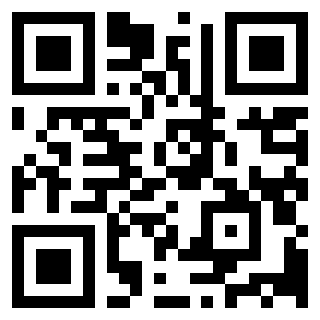
Anyone can scan this to land here
ridejma.com/get